
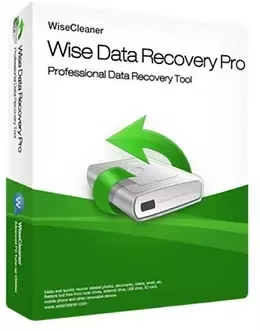
Wise Data Recovery Pro is back with a free 1-year Pro license giveaway, and here is everything you need to know before you install it.
Offer Status: ● ACTIVE — available directly from WiseCleaner’s own giveaway server
Platform: Windows 11 / 10 / 8 / 7
Official Partner: WiseCleaner, in association with SharewareOnSale and VideoProc
Category: Data Recovery Software
Last Checked: July 2026
Disclaimer: This is an official promotional giveaway distributed by WiseCleaner. We do not host cracked installers, license generators, or modified setup files. The two download links below point directly to WiseCleaner’s own servers, and the license produced is meant for personal, non-commercial use.
Why We’re Featuring This
Wise Data Recovery Pro is a lightweight Windows tool built around one job: pulling back files you thought were gone for good. Accidentally emptied the Recycle Bin, formatted the wrong USB stick, or lost photos when a memory card acted up? This app scans the drive you point it at and shows you what’s still recoverable, without burying the scan button behind menus or a paywall.
Free recovery tools tend to fall into two camps: bare-bones utilities that only handle a handful of file types, or apps that let you run a scan but lock the actual restore button until you pay. Wise Data Recovery Pro sits in a more useful middle ground here, and the Pro license mainly removes the free tier’s limit on how many files you can restore in one session.
If you’re already comfortable with Windows’ own Previous Versions or File History features, you may not need a dedicated app at all. But if you want a simple, no-nonsense way to pull back deleted documents, photos, or an email archive, this year’s free 1-year Pro license is worth grabbing while WiseCleaner is still offering it.
This data recovery tool is easy to pick up. Choose the drive you want to scan, click “Scan,” and let it search based on keywords, file type, or category — images, documents, audio, video, compressed archives, or email items.

Once the scan finishes, you’ll see each file’s name, size, last-modified date, and a rough chance of recovery marked “good” or “poor.” You then pick what to restore and choose a save folder — just make sure it’s a different drive than the one you’re recovering from, so you don’t overwrite anything.
Pros & Cons
| What We Liked | What Could Be Better |
|---|---|
| Clean, uncluttered interface that doesn’t overwhelm first-time users | Windows only — there’s no Mac or mobile version |
| Scans hard disks, SSDs, external drives, USB sticks, SD cards, and phones | Very large or heavily fragmented drives still take patience to scan fully |
| Recognizes 1,000+ file types, from RAW photos to email archives | The free tier’s recovery limit is the main reason to grab this Pro giveaway |
| No bundled toolbars or browser add-ons in the installer | Deep-scan results can include a few unrecoverable fragments alongside good files |
1,000+ Types of Files Can Be Recovered
The data recovery engine supports the following file types and formats:
- Documents: DOC/DOCX, XLS/XLSX, PPT/PPTX, PDF, CWK, HTML/HTM, INDD, EPS, etc.
- Graphics: JPG/JPEG, TIFF/TIF, PNG, BMP, GIF, PSD, CRW, CR2, NEF, ORF, SR2, MRW, DCR, RAW, SVG, RAF, DNG, etc.
- Videos: AVI, MOV, MP4, M4V, 3GP, 3G2, WMV, MKV, ASF, FLV, SWF, MPG, RM/RMVB, MPEG, etc.
- Audio: AIF/AIFF, M4A, MP3, WAV, WMA, APE, MID/MIDI, RealAudio, VQF, FLV, OGG, AAC, etc.
- E-mail: PST, DBX, EMLX, etc. (from Outlook, Outlook Express, and similar clients)
- Other files: Archives such as ZIP, RAR, SIT, ISO, plus EXE, HTML, SITX, and more.
How to Claim and Activate Your Free License
Follow these steps in order so the Pro license registers correctly:
- Download the official installer: use one of the two verified links below — both point directly to WiseCleaner’s own download server.
- Run the installer: it’s a standard setup with no bundled toolbars or add-ons to decline.
- Open the app: launch Wise Data Recovery Pro once installation finishes — this giveaway build comes pre-licensed, so Pro features unlock automatically.
- Double-check activation: the dashboard should show the Pro badge with no nag screens. If you ever do see a Register prompt (more common on older builds), you can enter a code there instead.

Get Wise Data Recovery Pro for Free
Current Giveaway — v6.2.2.520
Grab the free 1-year Pro license from either official mirror below (both are the same installer, just distributed through different promo partners):
[OR]
Run the installer and enjoy the Pro version for free — no separate purchase or subscription needed for the duration of the giveaway license.
Wise Data Recovery Pro vs. Free Alternatives
Why grab this instead of sticking with what’s already on your PC or a permanently free tool? Here’s how it stacks up:
| Feature | Wise Data Recovery Pro (Giveaway) | Recuva (Free) | Windows File History |
|---|---|---|---|
| Deep scan for older deletions | Yes | Yes | No — relies on backups made beforehand |
| Supported file types | 1,000+ | Broad, but slower on deep scans | Whatever you’d previously backed up |
| Ease of use | One-click scan and restore | Wizard-based, slightly dated interface | Built-in, but needs setup ahead of time |
| Cost | Free for 1 year during this giveaway | Free, always | Free, part of Windows |
Bottom line: if you’d like to compare more options before deciding, our roundup of the best free data recovery software covers several alternatives side by side, including EaseUS Data Recovery Wizard and iTop Data Recovery.
Frequently Asked Questions
Is this a legitimate free license, or a cracked version?
It’s a genuine promotional giveaway. Both download links above point directly to WiseCleaner’s own servers, and the resulting license is a real 1-year Pro registration, not a modified or cracked installer.
Can I still recover files after formatting a drive?
Often, yes, as long as you haven’t written much new data to that drive since the format. Running a scan as soon as you notice the missing files gives you the best chance of recovery.
Does “deleted” mean a file is gone forever?
Not right away. Deleting a file usually just marks its space as available — the actual data tends to stay on the drive until it’s overwritten, which is exactly what recovery tools like this take advantage of.
What happens when the free Pro license expires?
The app should keep working as the standard free version, with its usual recovery limits. You won’t lose access to the software itself, just the extra Pro-tier allowance.
Our take: if you want a fast, low-drama way to recover deleted files without learning a complicated interface, grabbing this free Pro license now is a low-risk move — the best time to have recovery software ready is before disaster strikes, not after.


Discover more from Techno360
Subscribe to get the latest posts sent to your email.
You must be logged in to post a comment.