
🎁 Giveaway · Free Lifetime License
Allavsoft 3.29 video & music downloader – free for Windows and Mac until 29 December 2026
Allavsoft’s paid Windows lifetime license is listed at $59.99 (down from $99.99). We installed the software, activated the giveaway code and confirmed it removes the trial’s download, conversion and merge limits.
🔑 Get the Free License Codes ↓⏳ Ends 29 Dec 2026 · Save $59.99
⚡ Quick Read
- What: Allavsoft video and music downloader with a built-in converter
- Version tested: 3.29.7.9791 (Windows)
- Offer window: 26 October – 29 December 2026 (the developer gives no cutoff time, so activate before 29 December)
- Catch: The giveaway license doesn’t include updates or technical support
- Activation: Tested and working on Windows – jump to the license codes ↓
Updated 28 October 2026: We tested Allavsoft 3.29.7.9791 and refreshed the Windows and Mac giveaway codes, the offer dates and the pricing.
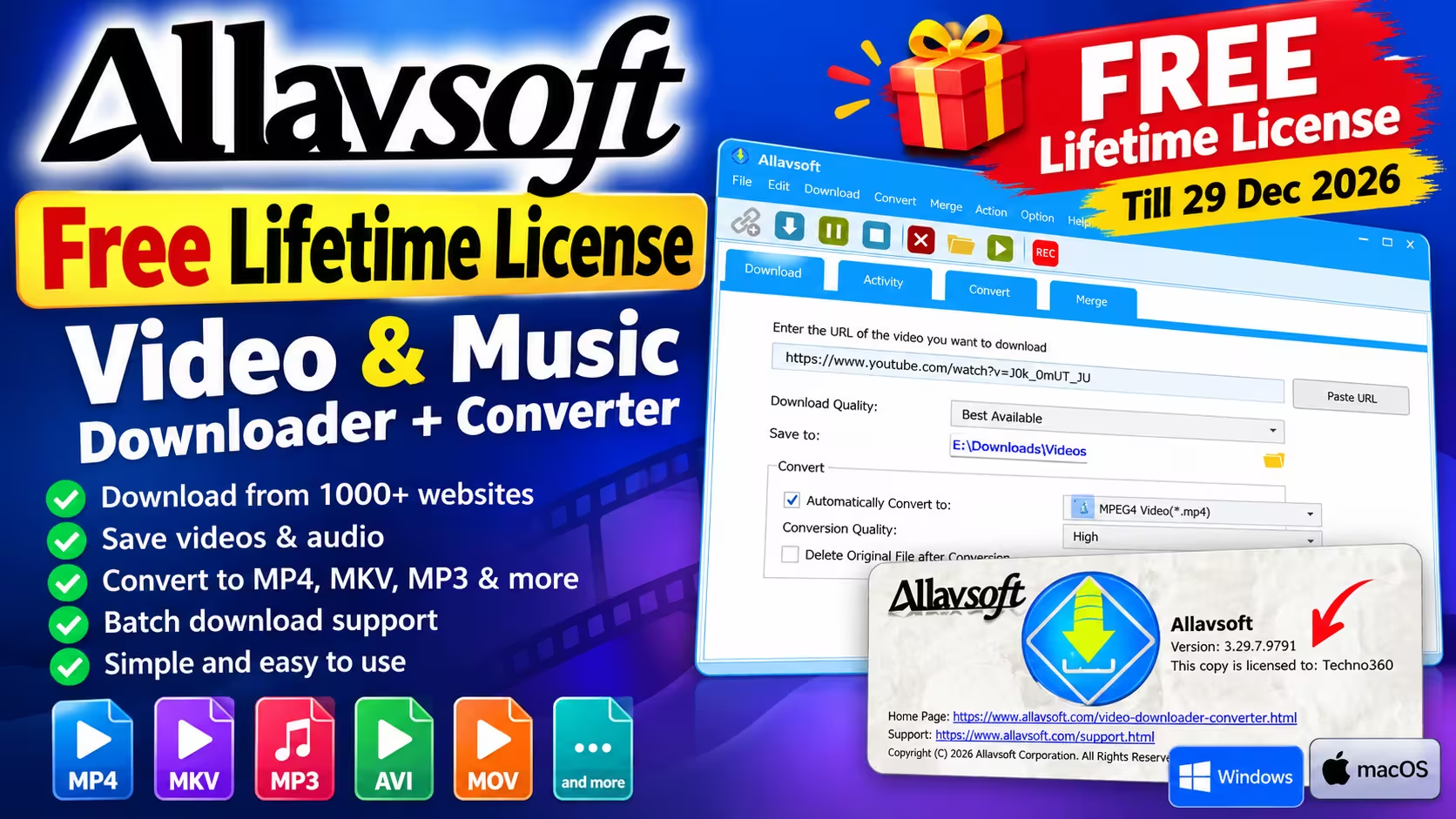
What Is Allavsoft?
Allavsoft is a desktop downloader for Windows and Mac. It saves online videos and audio to your PC and can convert them to another format in the same step. You paste a link, pick a quality, and Allavsoft handles the download. If you want, it then hands the file to its converter so you end up with an MP4, MKV, MP3 or a device-ready profile without opening a second program.
The interface has four tabs: Download, Activity, Convert and Merge. It looks dated, but the workflow is quick to learn. If you already use a browser extension or a YouTube downloader, Allavsoft’s main advantages are batch downloading and its large set of conversion presets.
Allavsoft Giveaway Details at a Glance
| Detail | Info |
|---|---|
| Software | Allavsoft Video & Music Downloader |
| Version (tested) | 3.29.7.9791 |
| Platforms | Windows and macOS |
| License type | Lifetime (giveaway edition) |
| Paid Windows plans (28 Oct 2026) | 1 month $19.99 · 1 year $29.99 · lifetime $59.99 (sale prices; list prices $29.99 / $49.99 / $99.99) |
| Offer period | 26 October 2026 – 29 December 2026 (no cutoff time stated) |
| Limitations | No updates or technical support |
| Installer size (Windows) | About 69 MB |
Allavsoft sent us the giveaway details directly. It describes the code as a lifetime license shared publicly, and anyone can use it during the promotion. You’re also free to share it with friends and family.
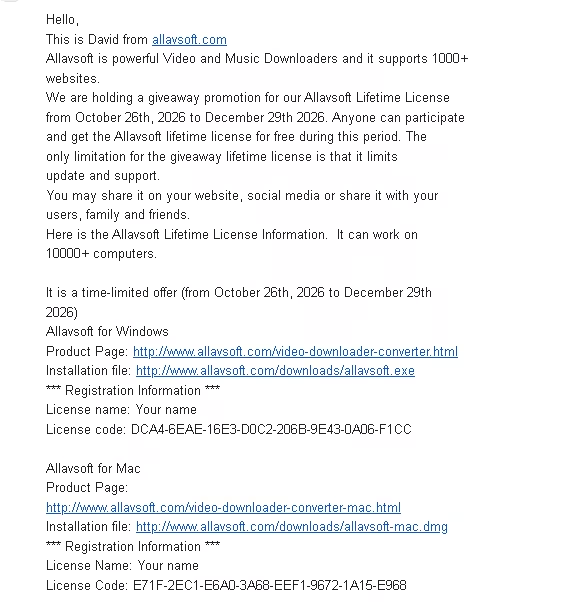
How to Get the Allavsoft Free License on Windows
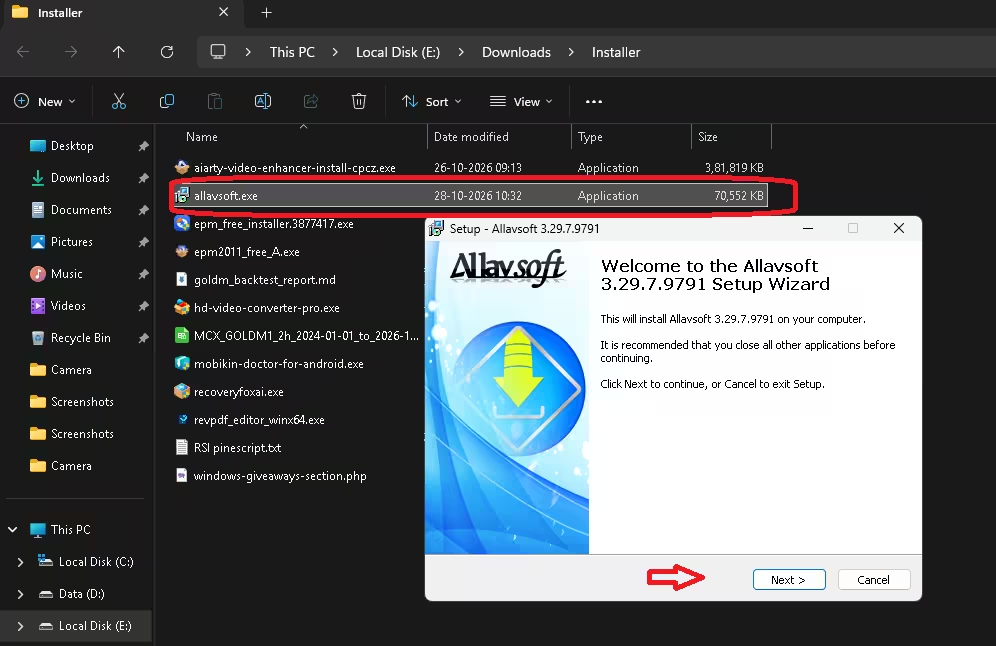
- Download the installer from the official Allavsoft server using the button below. We used build 3.29.7.9791, about 69 MB.
- Run allavsoft.exe and follow the setup wizard. It’s a standard Next → Install process.
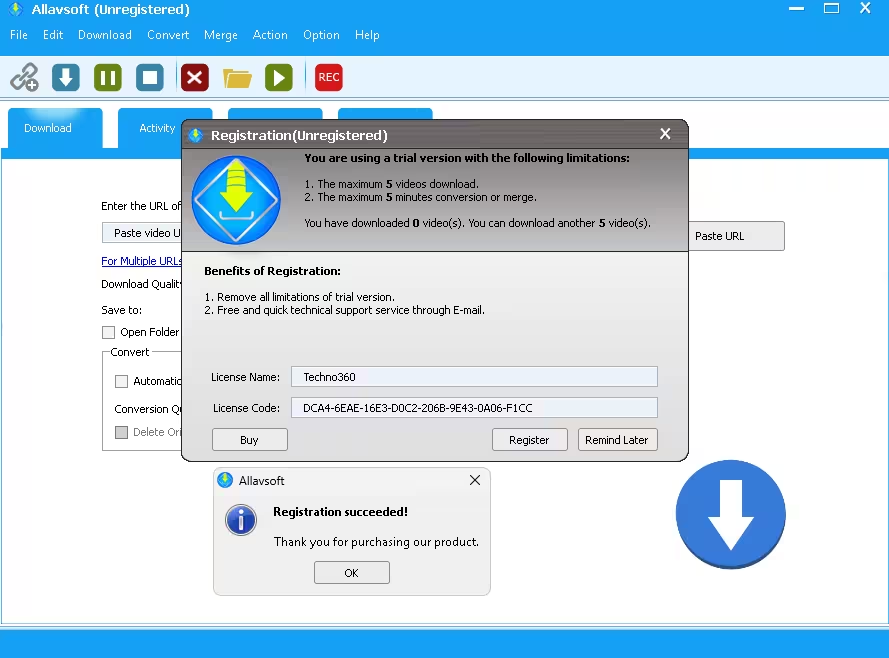
- Launch Allavsoft. The Registration (Unregistered) window opens and lists the trial limits.
- Enter any name in the License Name field (we used Techno360). Then paste the license code below and click Register.
- A “Registration succeeded!” message confirms activation. The title bar changes from Allavsoft (Unregistered) to Allavsoft.
🪟 Windows License
License Name: Any name
License Code: DCA4-6EAE-16E3-D0C2-206B-9E43-0A06-F1CC
⬇️ Download for Windows Official Product Page
Check That the License Is Active
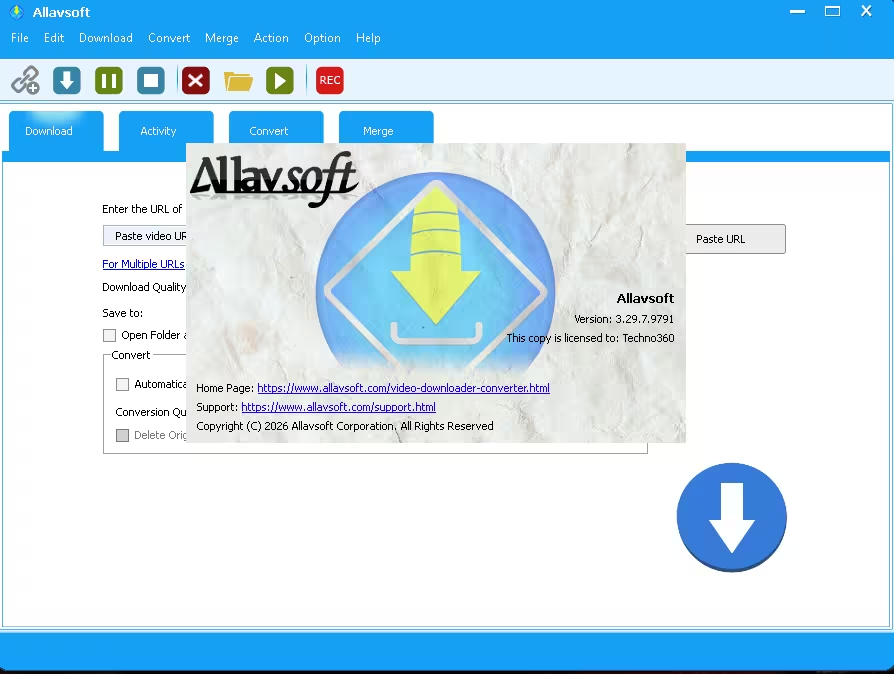
Open the About screen after you register. It should show the version number and the line “This copy is licensed to:” followed by the name you entered. This is the quickest way to confirm your copy is fully registered, and it tells you which build you’re running.
Allavsoft Free License for Mac
Mac users get a separate code. Download the DMG from Allavsoft, install the app, and register it with the details below. Note: we tested activation on Windows only. The Mac code comes from the developer’s giveaway announcement.
🍎 Mac License
License Name: Any name
License Code: E71F-2EC1-E6A0-3A68-EEF1-9672-1A15-E968
⬇️ Download for Mac Mac Product Page
Free Trial vs Giveaway License vs Paid License
Without a license, the Registration window spells out the trial limits: a maximum of 5 video downloads and a maximum of 5 minutes of conversion or merging. After activation with the giveaway code, those trial restrictions no longer appear.
| Feature | Free Trial | Giveaway License | Paid Lifetime License |
|---|---|---|---|
| Video downloads | 5 total | Unlimited | Unlimited |
| Conversion / merge | 5 minutes | Unlimited | Unlimited |
| Version updates | — | Not included | Included for life |
| Email support | — | Not included | Included |
| Cost | Free | Free until 29 Dec 2026 | $59.99 on Windows (sale price, 1–3 PCs) |
The main stated limitations of the giveaway are no updates and no technical support. Video sites change their pages often, and downloaders need regular updates to keep up. The giveaway build will likely work well now, but some sites may stop working over time.
How to Download Videos with Allavsoft
Download a Single Video
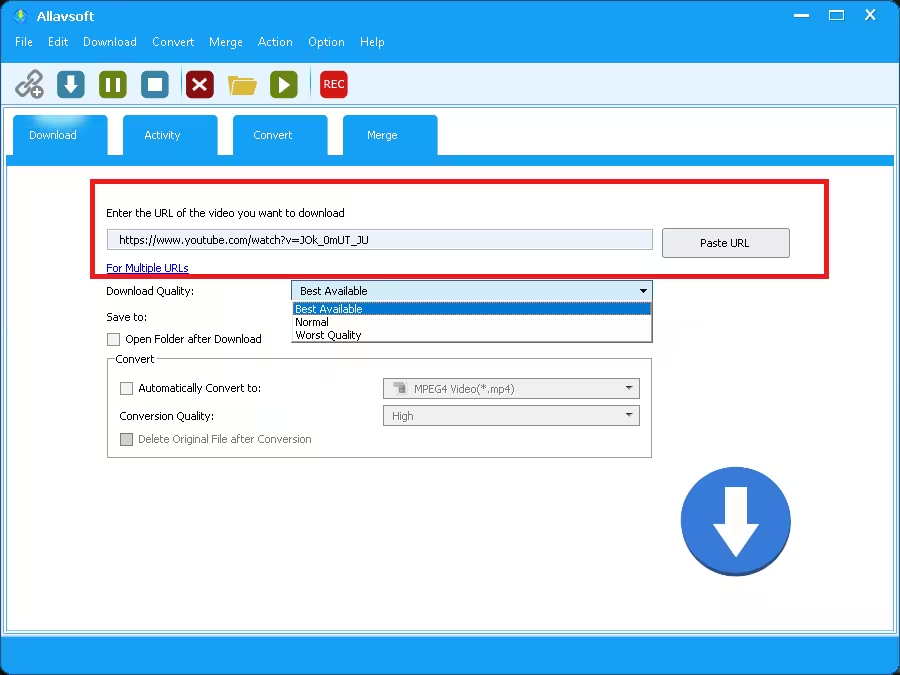
- Copy the video’s link from your browser and click Paste URL on the Download tab.
- Choose a Download Quality: Best Available, Normal or Worst Quality. Best Available grabs the highest resolution the site offers.
- Click the folder link next to Save to to choose where files go. You can also tick Open Folder after Download.
- Press the large blue download button.
Batch Download Multiple Videos
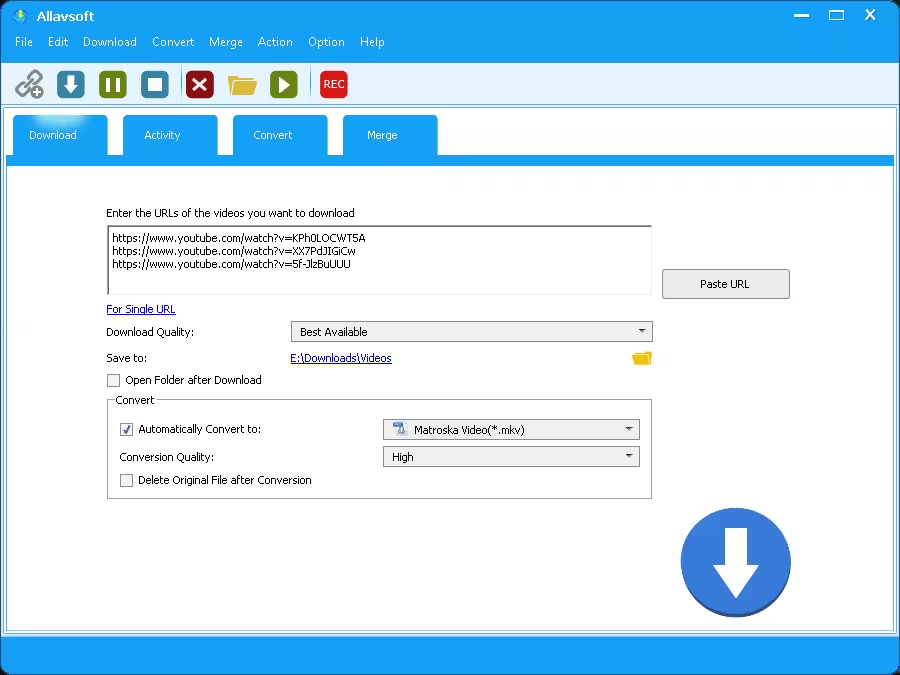
Click For Multiple URLs and the single link box becomes a multi-line box. Paste one link per line and Allavsoft queues them all. It’s a big time saver when you’re grabbing a set of lectures, tutorials or clips.
Convert While Downloading
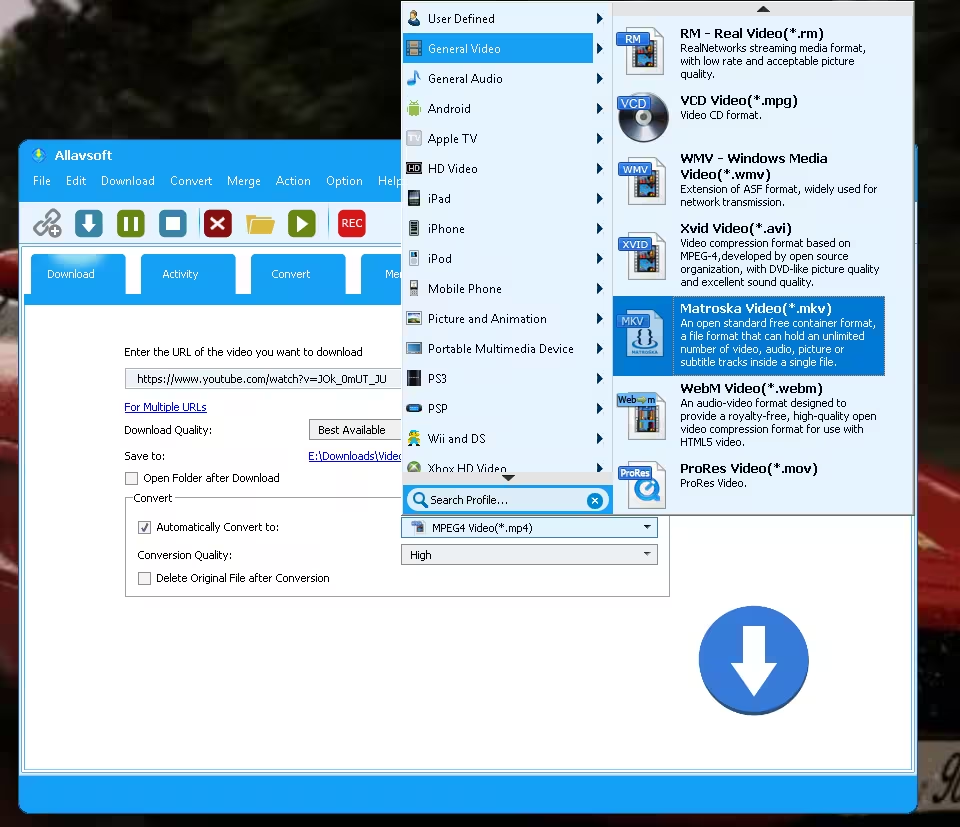
Tick Automatically Convert to and pick an output profile, such as MPEG4 (*.mp4) or Matroska (*.mkv). Set the Conversion Quality (High is the default). You can also tick Delete Original File after Conversion so you keep only the converted copy.
The profile menu is extensive. It’s organised by category: General Video, General Audio, HD Video, Android, iPhone, iPad, iPod, Apple TV, Mobile Phone, PS3, PSP, Xbox, Wii and DS, Picture and Animation, and a User Defined section. There’s also a Search Profile box at the bottom. Video formats include MP4, MKV, WebM, Xvid AVI, WMV, ProRes MOV, RM and VCD MPG.
Track Progress in the Activity Tab
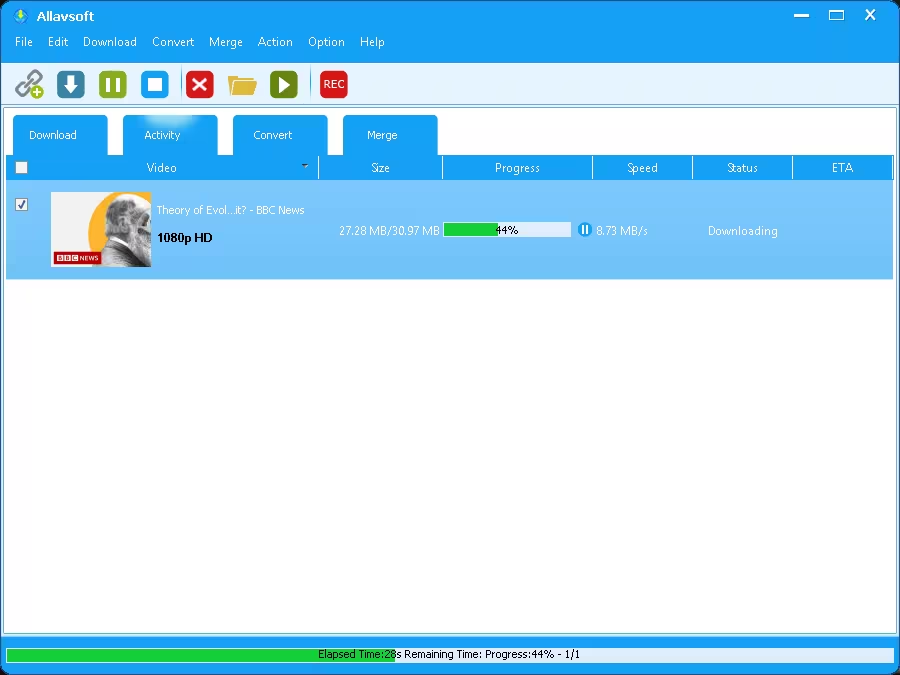
The Activity tab lists each job with its thumbnail, detected quality (for example 1080p HD), file size, a progress bar, speed, status and ETA. In our test, a 1080p video downloaded at about 8.7 MB/s on our connection. A pause button sits right next to the progress bar.
Allavsoft Key Features
What we confirmed in version 3.29.7.9791:
- Single-link and multi-link (batch) downloading
- Three quality presets: Best Available, Normal and Worst Quality
- One-step download plus conversion, with an option to delete the original file
- Hundreds of device and format profiles with a search box
- A separate Convert tab for files already on your PC, plus a Merge tab for joining files
- Per-download progress, speed and ETA, with pause controls
What the developer says it offers (not tested by us):
- Downloads in 4K, 2K, 1080p, 720p, 3D and lower SD resolutions where the site provides them
- Audio extraction to MP3, FLAC, WAV, AAC, M4A, OGG, AIFF and more
- Skips detected advertisements while downloading
- Built-in player for previewing downloads
- Resume interrupted downloads
- Option to shut down the PC when the download queue finishes
- Download history and a browser add-on for one-click downloads
System Requirements
- OS: Windows 11, 10, 8, 7, Vista, XP and 2000 (separate macOS build available)
- Processor: 1 GHz Intel or AMD or faster
- RAM: 512 MB or more
- Display: 800 × 600 or higher
We tested on Windows 11 without any compatibility issues.
Our Verdict
📊 Worth Grabbing?
Yes. A free lifetime license for a downloader whose paid lifetime plan costs $59.99 on Windows is easy to recommend, even without the updates the paid plan includes. Batch downloads and the built-in converter make it more useful than most single-purpose tools. Just remember you won’t get updates, so don’t rely on it as your only downloader for the long term.
👍 Pros
- Simple paste, choose and download workflow
- Batch downloading from multiple links
- Huge, searchable set of conversion profiles
- Activation tested and working on Windows
👎 Cons
- No updates or support on the giveaway license
- Dated interface
- The developer’s site-support figures differ between sources (100+ vs 1,000+)
⚠️ Use it responsibly: Only download content you own, content that’s licensed for download, or content you have permission to save. Respect each website’s terms of service and your local copyright laws.
Frequently Asked Questions
Is the Allavsoft giveaway license really lifetime?
The developer describes it as a lifetime license. Once activated, your copy is intended to remain registered, but the giveaway doesn’t include updates or technical support. Save the installer and license details for future reference.
What happens after 29 December 2026?
The promotion ends on 29 December 2026. The developer hasn’t stated a cutoff time, so we recommend registering by 28 December to be safe. Copies activated during the promotion are meant to stay registered after it ends.
Can I update Allavsoft to a newer version with this code?
Updates aren’t part of the giveaway license. If the app offers a newer build, it may not accept the giveaway code. Keep the version you activated unless you’re willing to buy the paid lifetime license, which includes free updates.
What are the limits of the Allavsoft free trial?
Without a license, the trial allows only 5 video downloads in total and 5 minutes of conversion or merging. The giveaway code removes both limits.
How many websites does Allavsoft support?
Allavsoft’s giveaway announcement says it supports 1,000+ websites, while its Windows product page mentions more than 100 video-sharing sites. The two figures come from different developer sources, and we haven’t counted the sites ourselves. Either way, it covers the major platforms, though support for any single site can change over time.
Is Allavsoft available for Mac?
Yes. There’s a separate macOS version with its own license code, which you’ll find above. We tested the Windows version only.
Can Allavsoft convert videos I already have?
Yes. The Convert tab works with files already on your computer, and the Merge tab joins several files into one.
Looking for more free software? Browse our latest software giveaways, more video downloaders, and other Windows tools.
Discover more from Techno360
Subscribe to get the latest posts sent to your email.

The Windows registration details don’t work.
Hi steve, the windows version codes are working.
What version of Allavsoft is this ? ( I currently have Version 3.26.0.8691 , Ver. 3.26.0.8721 is available, according to Allavsoft update function within installed Software )
The current version is 3.26.0.8721 and the download link in th article lets you download the latest version.